Secondary Sound
A strategic backup system that aggressively switches to a blaring emergency siren if you attempt to sleep through the main alarm.
Overview
Waking up gently is ideal, but occasionally you need a fail-safe. Secondary Sound is designed to offer the absolute best of both worlds. It empowers you to start your morning routine with a quiet, pleasant melody, but aggressively switches to a high-pitched emergency tone if you haven't dismissed the alarm within a defined timeframe.
This smart contrast in auditory intensity is biologically proven to shock the brain out of deep sleep cycles, ensuring you never inadvertently sleep through a critical morning meeting simply because your initial alarm music was too soothing.
Capabilities
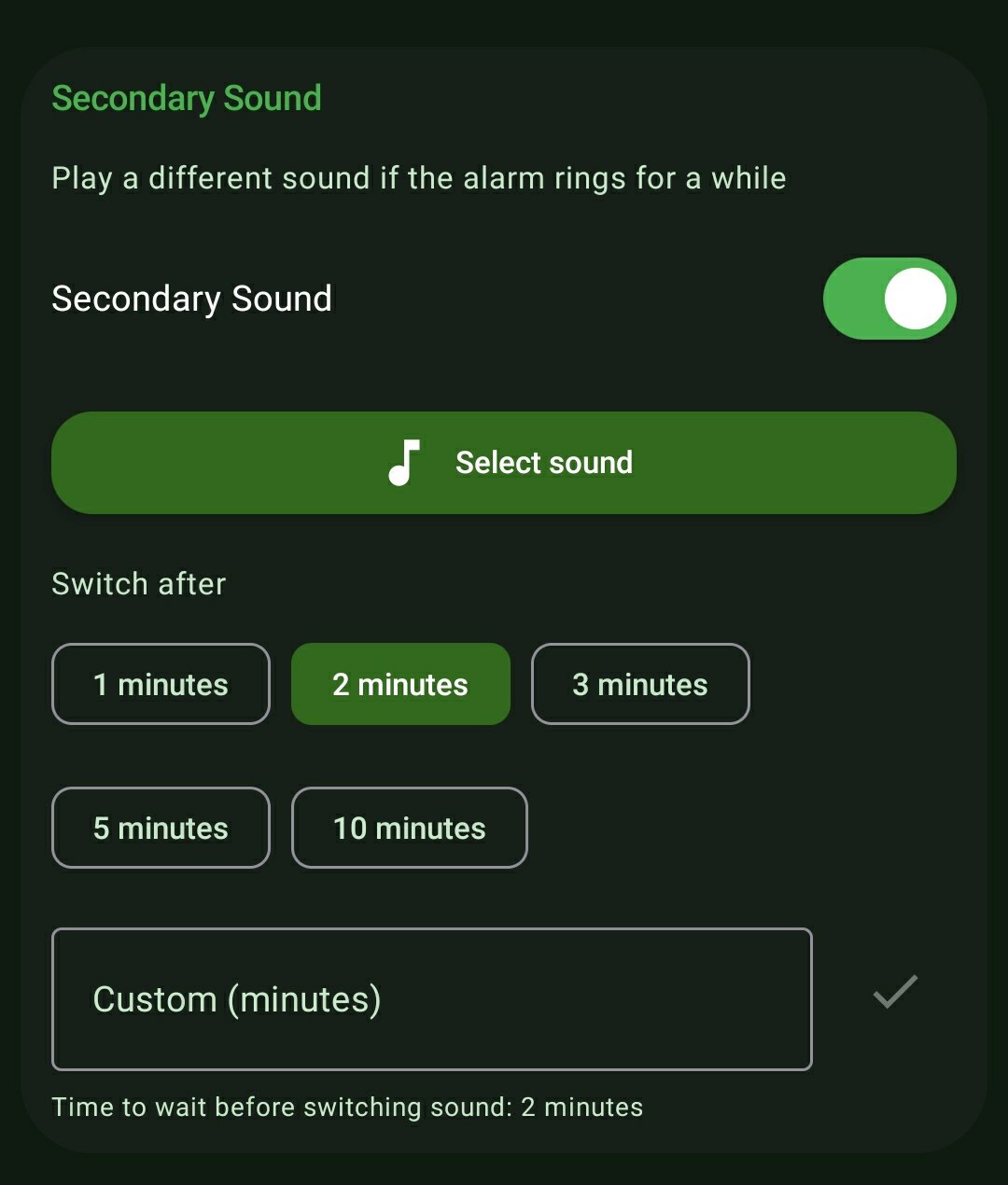
- Granular Switch Intervals: Dictate exactly how long the primary gentle music plays before the system intervenes. Choose between quick 1-minute, 2-minute, 3-minute, 5-minute, or 10-minute intervals—or define an exact custom minute threshold.
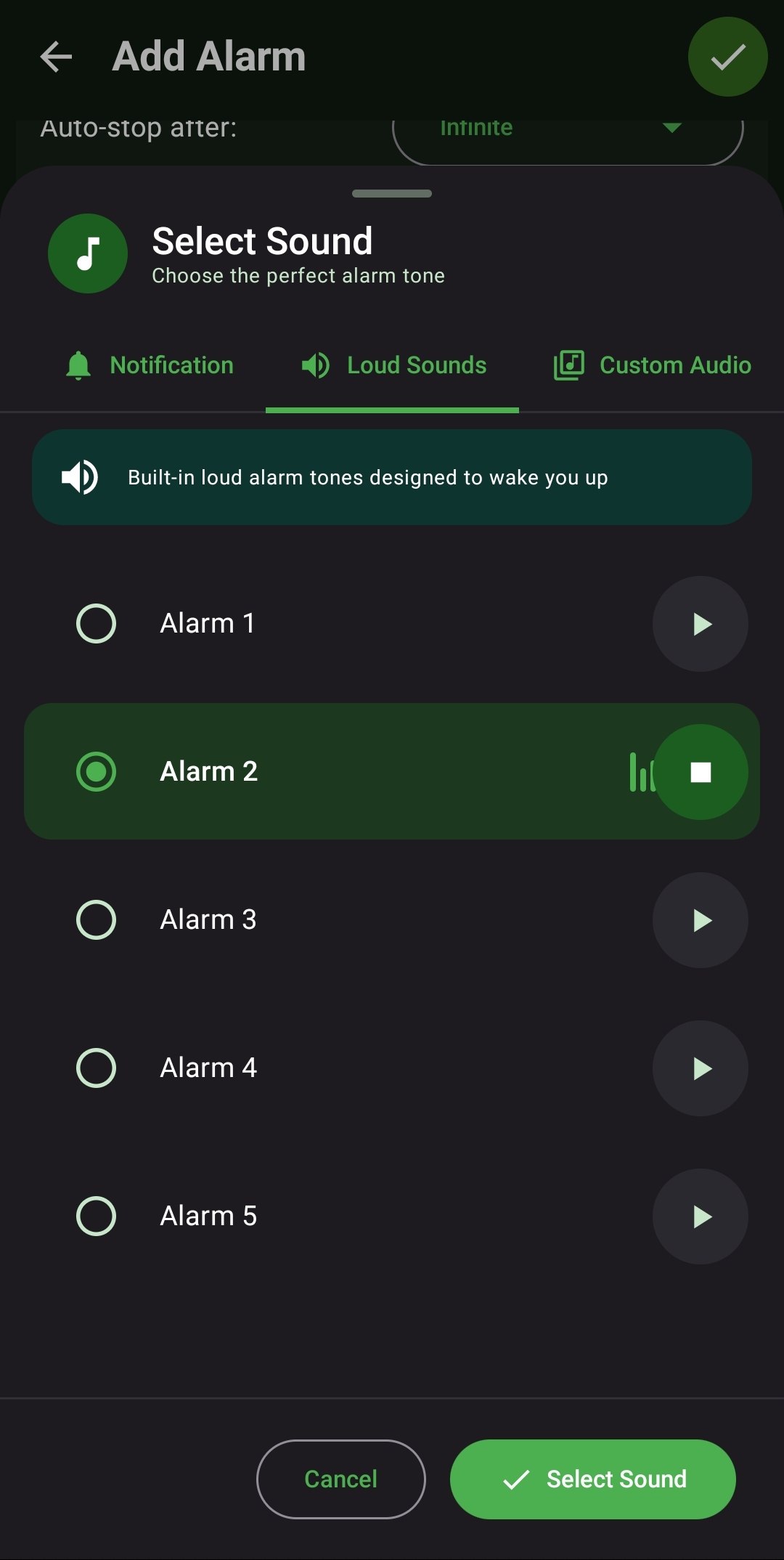
- Independent Audio Selection: Hand-pick a completely separate audio file for the secondary tier. Access the entire ReAlarm audio engine, including proprietary Loud Sounds, native Ringtones, or bespoke MP3s.
- Automatic Escalation: The transition between the primary soothing music and the secondary blaring siren happens seamlessly and automatically without requiring any manual interaction.
How to Setup
- While configuring an alarm, scroll to the 'Secondary Sound' panel and toggle the master switch to ON.
- Tap 'Select sound' to launch the Audio Engine and pick your aggressive backup track (e.g., from the 'Loud Sounds' tab).
- Under 'Switch after', select a predefined time block (e.g., '2 minutes') or tap 'Custom' to input a specific minute constraint.
Use Cases
The Shared Bedroom: Attempt to wake up to a quiet classical piano track first to avoid disturbing your partner. If you don't wake up within 2 minutes, the system triggers the loud backup to guarantee you don't oversleep.
Combating Alarm Fatigue: If your brain has grown accustomed to your daily alarm song and naturally tunes it out, the sudden, violent auditory shift to a completely different tone forces neurological engagement.
Screenshots
Frequently Asked Questions
Does the Secondary Sound reset the overall Alarm Timeout timer?
Can my Secondary Sound be a Custom MP3?
What happens if I dismiss the alarm before the 'Switch after' time is reached?
Ready to Upgrade Your Morning?
Install ReAlarm today to unlock Secondary Sound for free.
Get it on Google Play