Interval Alarms
Set alarms at custom regular intervals.
Overview
Interval Alarms revolutionized how users track recurring tasks throughout the day without cluttering their main alarm list. Instead of setting 10 individual alarms spanning from 9 AM to 5 PM, you simply configure one smart alarm that handles the repetition natively.
This is especially powerful because it respects extensive boundary conditions like specific days of the week, start and end dates, and even system-wide quiet hours to ensure you are never disturbed when you shouldn't be.
Capabilities
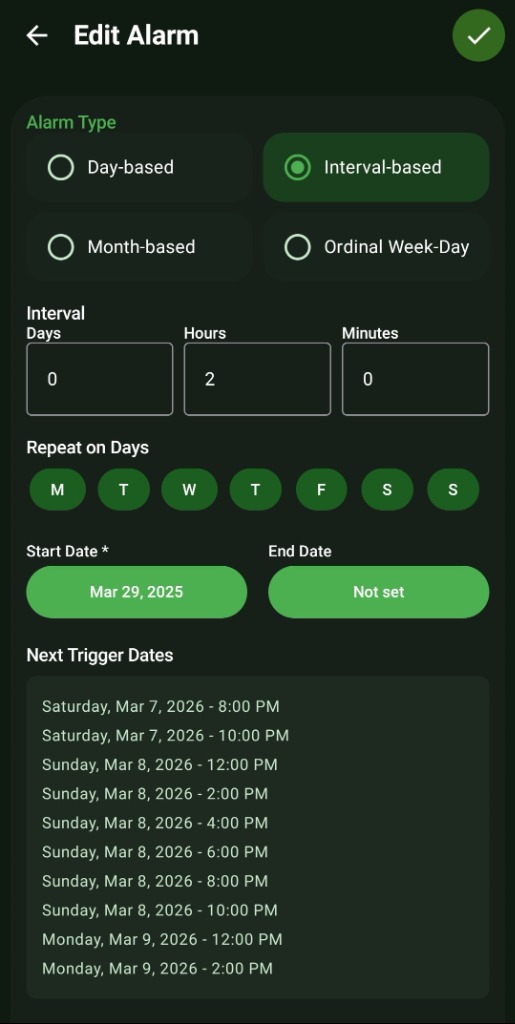
- Interval Customization: Set precise gaps in Days, Hours, and Minutes (e.g., exactly every 2 hours and 30 minutes).
- Repeat on Days: Individually toggle which days of the week the interval is allowed to run on (e.g., only Mon-Fri).
- Date Boundaries: Enforce a strict 'Start Date' and optional 'End Date' for the interval schedule.
- Next Trigger Dates Preview: An intelligent localized list automatically calculates and displays the exact upcoming trigger times so you can verify your schedule visually before saving.
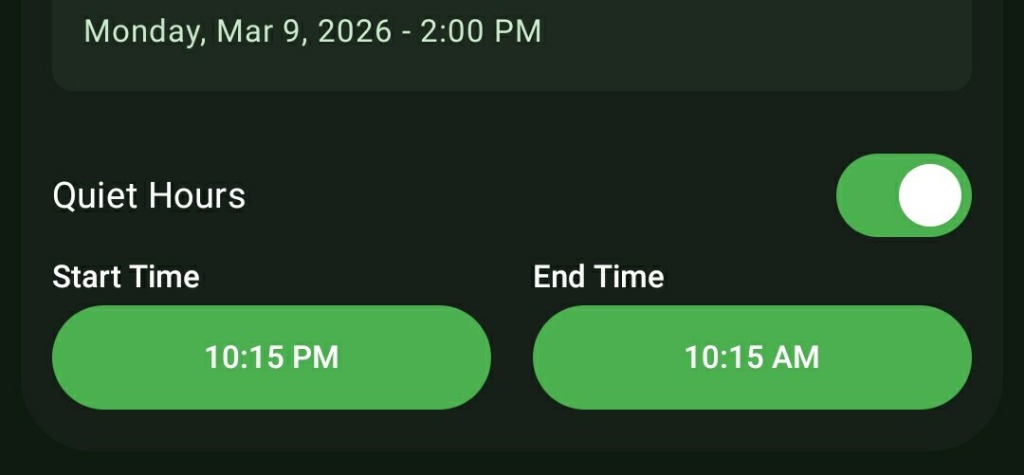
- Quiet Hours Support: Automatically pauses interval ringing during your designated sleep times (e.g., between 10:15 PM and 10:15 AM).
How to Setup
- In the 'New Alarm' screen, switch the Alarm Type to 'Interval-based'.
- Input your desired duration in the 'Interval' section using the Days, Hours, and Minutes fields.
- Select the specific weekdays under 'Repeat on Days' where this rule applies.
- Set your 'Start Date'. If this is a temporary routine, set an 'End Date'.
- Review the automatically generated 'Next Trigger Dates' list at the bottom of the screen to ensure accuracy.
- If needed, open 'Quiet Hours' globally to define your Do Not Disturb window.
Use Cases
Medication Adherence (Pills): Perfect for patients who need to take medicine exactly every 6 hours, but only want the alarm to sound during their waking hours.
Hydration & Stretching: Set an interval for every 1 hour and 30 minutes to remind yourself to drink water and step away from your desk.
Pomodoro Technique: Set it to 25 minutes for focused work sessions, automatically looping throughout your workday.
Screenshots
Frequently Asked Questions
Will an Interval Alarm wake me up in the middle of the night?
Can I set an interval for more than 24 hours?
How do I know the interval calculation is correct?
Ready to Upgrade Your Morning?
Install ReAlarm today to unlock Interval Alarms for free.
Get it on Google Play