Per-Alarm Statistics
Granular, isolated tracking designed to debug your performance for individual alarm schedules.
Overview
While Global Statistics provide a massive overview of your entire life, Per-Alarm Statistics zoom in on specific routines. Is your ambitious '6:00 AM Workout' alarm performing significantly worse than your standard work alarm?
This feature completely isolates tracking data, allowing you to debug exact failure points for highly specific, individual scheduled events. By analyzing this isolated data, you can A/B test different challenges to see what actually works for specific times of the day.
Capabilities
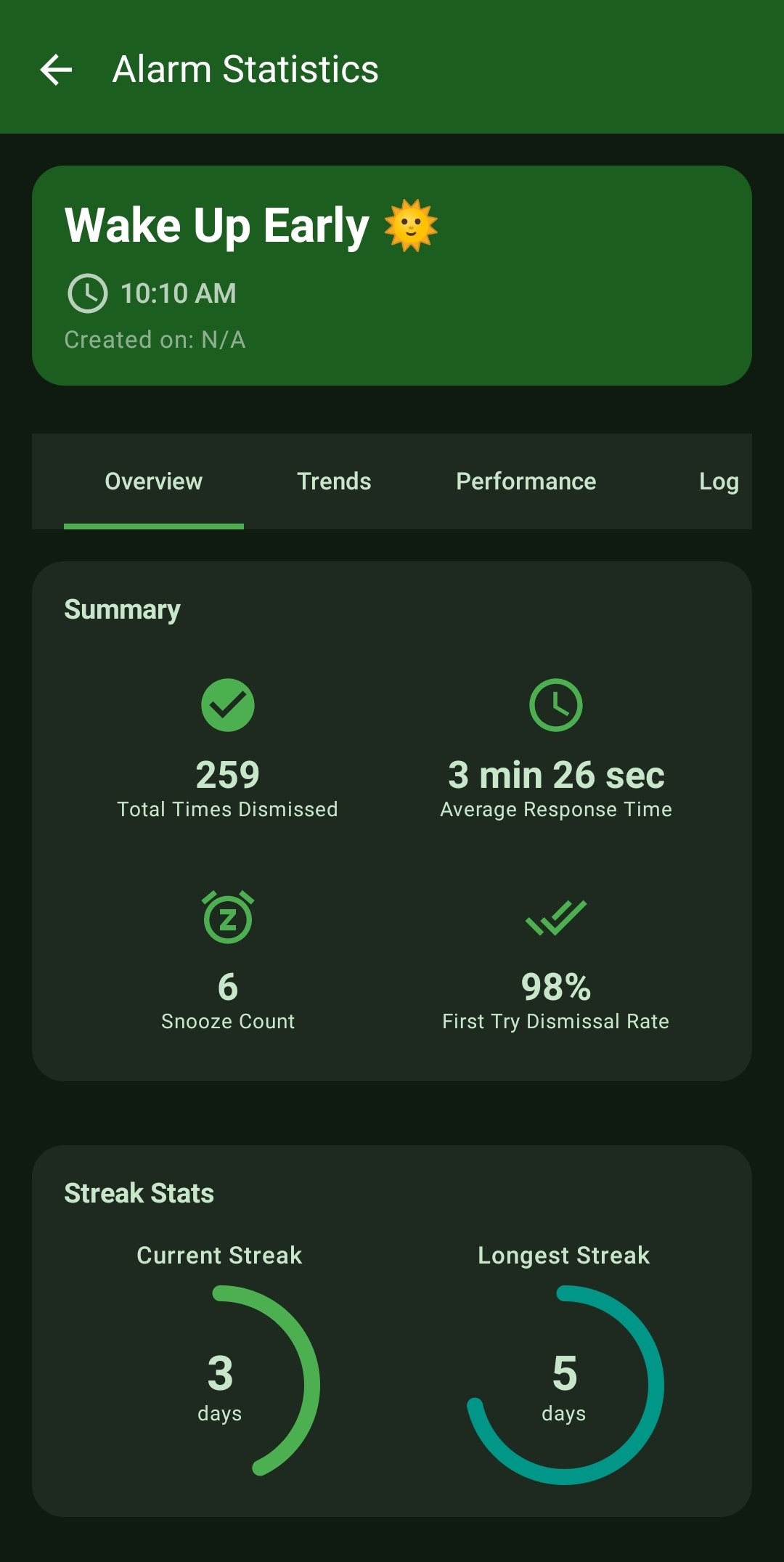
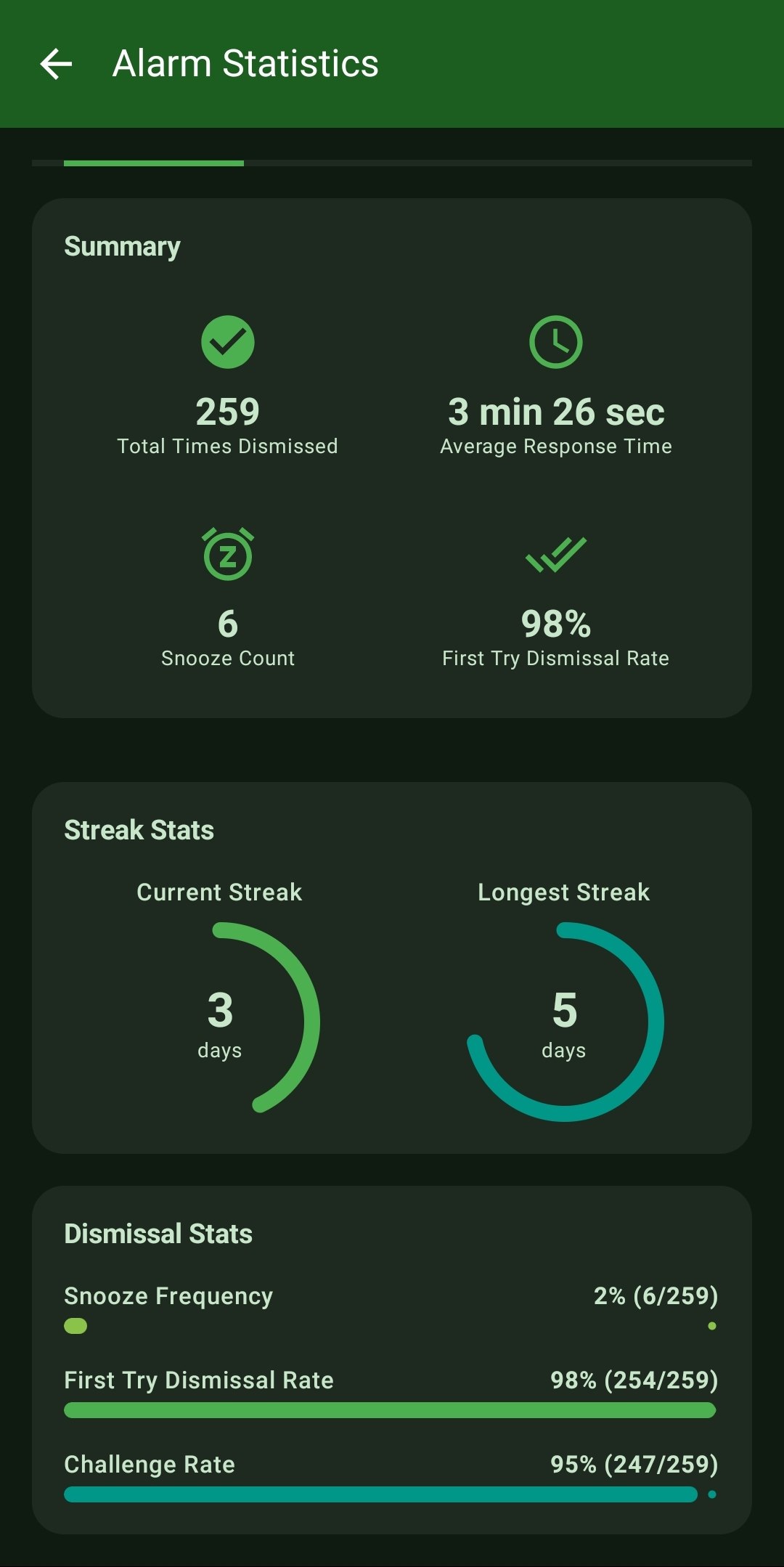
- Isolated Overviews: Track explicit metrics mapped to a single alarm, such as its exact average response time, total lifetime dismissals, and unique First-Try Dismissal rate.
- Isolated Streaks: Track Current and Longest streaks belonging strictly to one scheduled alarm, separate from your global performance.
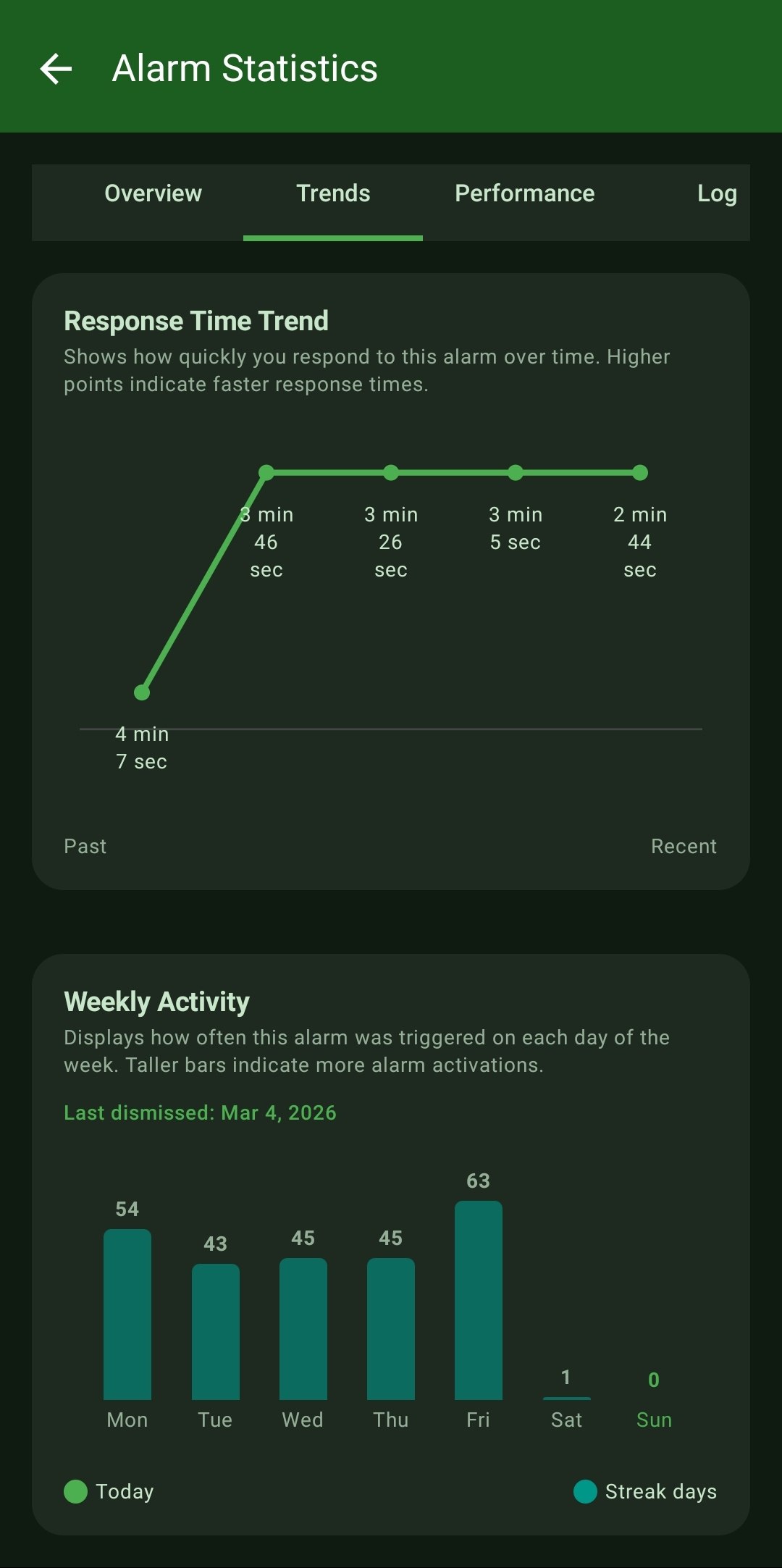
- Alarm-Specific Trends: Detailed line graphs tracking the 'Response Time Trend' to reveal if you are getting faster or slower at waking up to this specific alarm over the weeks.
- Weekly Activity Isolation: Interactive bar charts mapping out exactly which days of the week this specific alarm is triggered the most frequently.
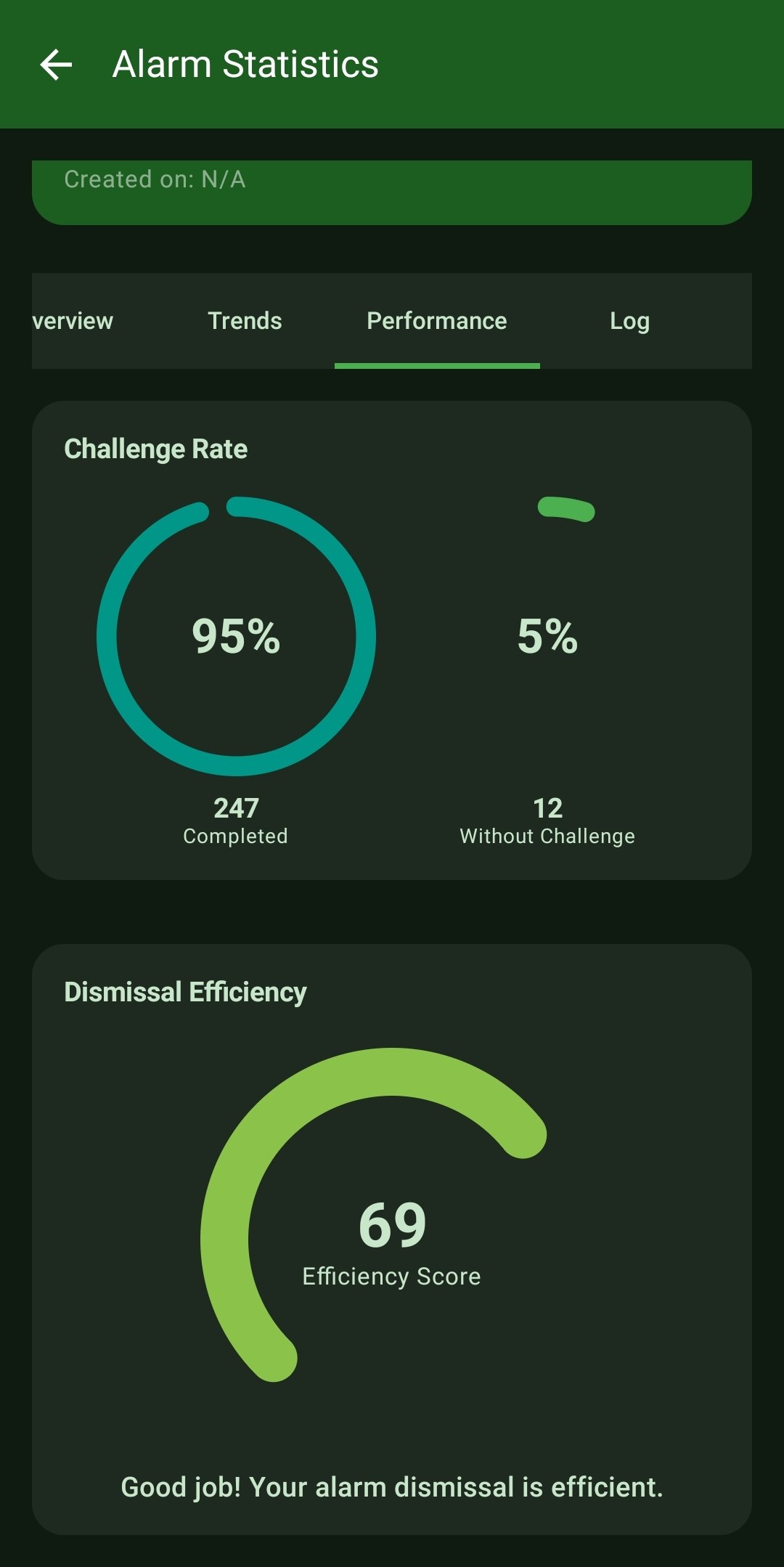
- Dismissal Efficiency Scoring: ReAlarm algorithmically calculates an objective 'Efficiency Score' judging your historical performance for this precise schedule.
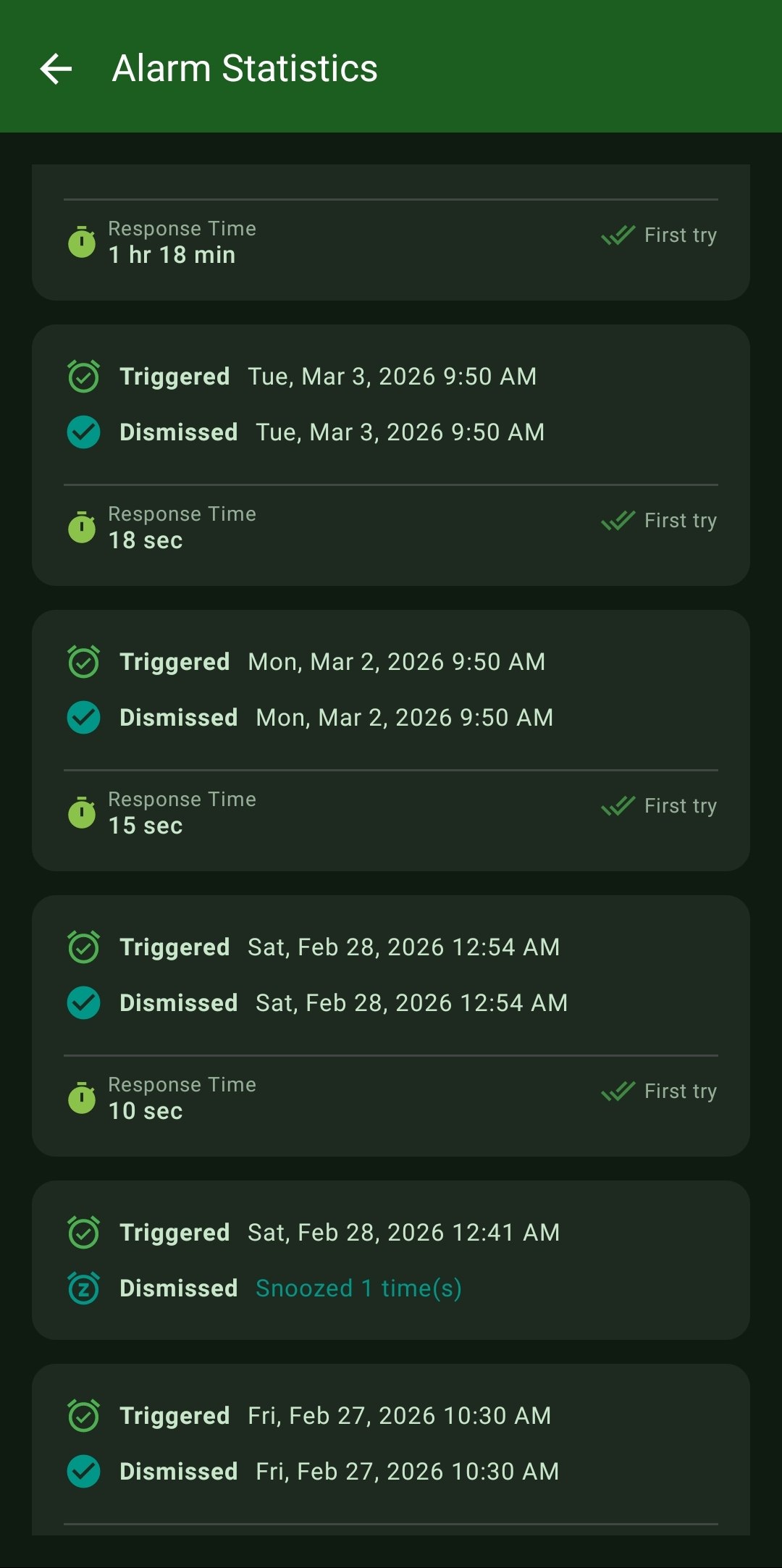
- Targeted Event Logs: A raw, chronological ledger proving exactly when this specific alarm fired and your precise response time for every single historical occurrence.
How to Setup
- Every alarm tracks its own data automatically upon creation.
- From the main dashboard, locate the specific alarm you want to investigate.
- Tap the 'Statistics' icon located directly on the alarm card to open its dedicated analytics dashboard.
Use Cases
A/B Testing Challenges: Create two different alarms for the same time on different days—one using Math puzzles and one using a QR Code. Compare their isolated 'Dismissal Efficiency' scores to see which challenge objectively forces you out of bed faster.
Micro-Adjustments: If your isolated 'Response Time Trend' line graph for a morning alarm is steadily curving upwards (getting slower) over a month, you have mathematical proof that you are accumulating sleep debt and need to adjust your bedtime.
Screenshots
Frequently Asked Questions
If I delete an alarm, what happens to its statistics?
Do these isolated streaks affect my Global Streak?
How is the 'Dismissal Efficiency' score calculated?
Ready to Upgrade Your Morning?
Install ReAlarm today to unlock Per-Alarm Statistics for free.
Get it on Google Play