Month-Based Alarms
Alarms for specific calendar dates and specific months.
Overview
Month-Based Alarms abstract away the need for bulky calendar apps for events that occur conditionally on specific numerical dates. By integrating complex calendar logic directly into ReAlarm's core scheduling engine, you can build hyper-specific recurring alerts.
This isn't just for 'the 15th of every month'—this engine is powerful enough to handle quarterly events, seasonal reminders, and gracefully manages the chaos of varying month lengths without you lifting a finger.
Capabilities
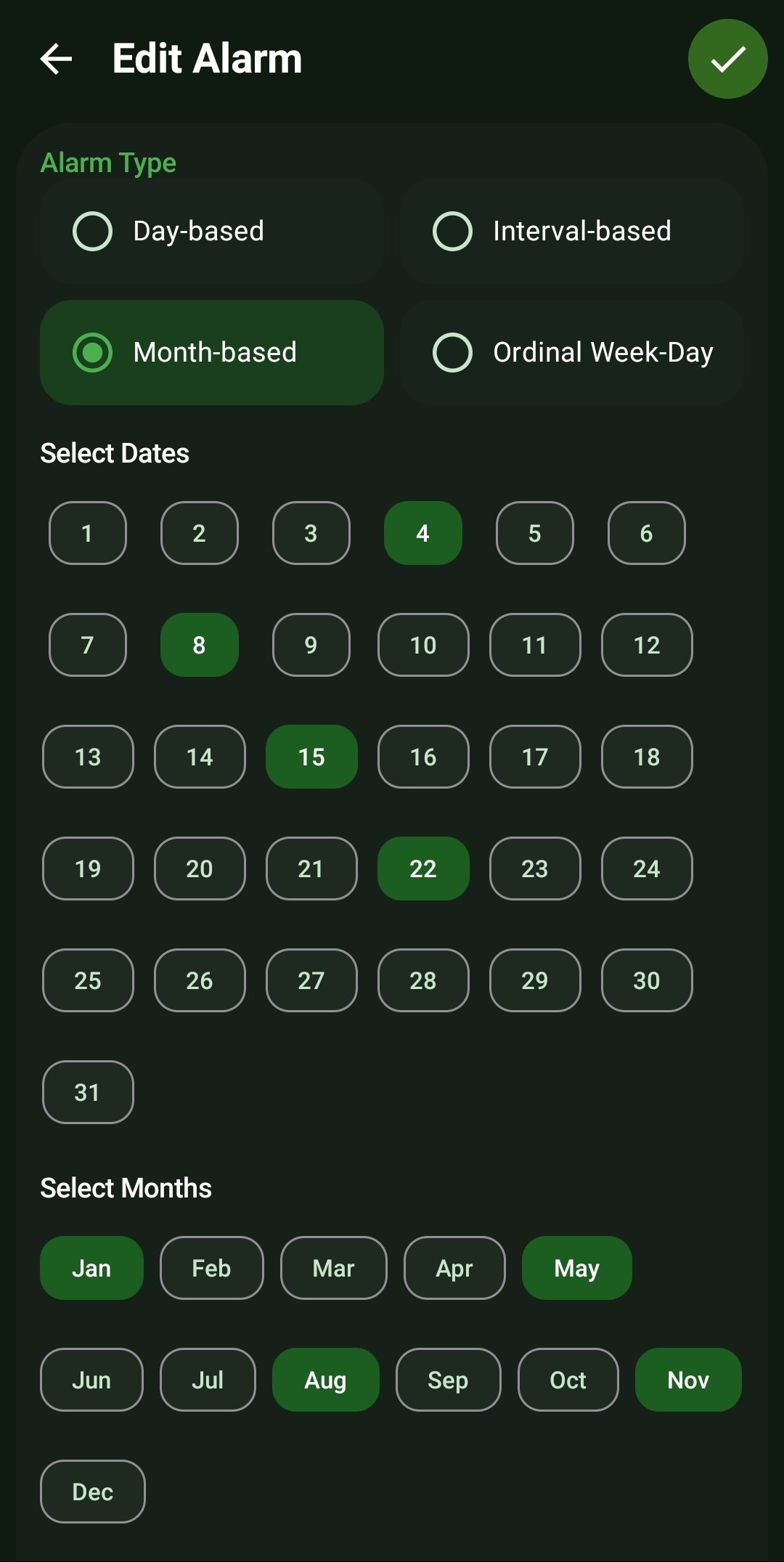
- Multi-Date Selection: Select an unlimited combination of numerical dates (from 1 to 31) for the alarm to trigger on.
- Specific Month Targeting: Tap targeted monthly toggles (Jan through Dec) to filter the alarm to only operate during explicit times of the year, perfect for quarterly taxes or seasonal chores.
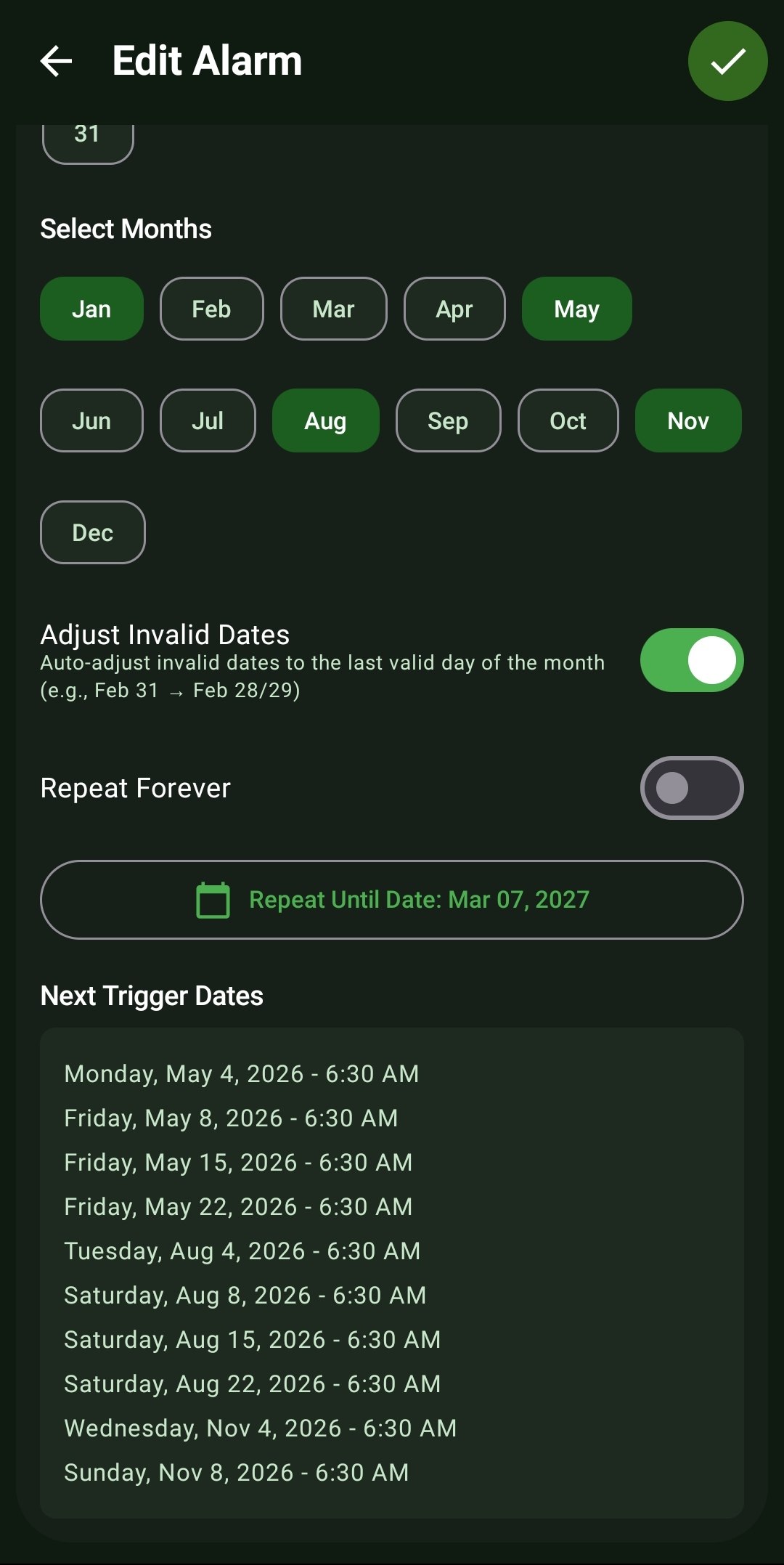
- Adjust Invalid Dates Protocol: A smart toggle that automatically calculates edge cases. If you set an alarm for the 31st, but the current month only has 30 days (or 28 days in February), it auto-adjusts backwards to fire on the last valid day of that month.
- Bounded Repeats (End Dates): Disable the 'Repeat Forever' switch to reveal a 'Repeat Until Date' calendar picker. The alarm will autonomously retire and disable itself once that calendar threshold is passed.
How to Setup
- In the Alarm Type selection, switch the radio button to 'Month-based'.
- Under 'Select Dates', tap the circular numbers (1-31) representing the exact days you need the alert.
- Under 'Select Months', highlight the specific months of the year this rule applies to. (All months are selected by default for monthly recurrence).
- Toggle 'Adjust Invalid Dates' ON to ensure alarms set for the 31st still ring in February, April, June, September, and November.
- Review the visually plotted 'Next Trigger Dates' list to confirm your date intersections are accurate.
Use Cases
Quarterly Taxes & Bills: Select the 15th date, and only select April, June, September, and January for the months.
Rent/Mortgage: Set it for the 1st of every month, leaving all 12 month toggles active.
Credit Card Statements: Set a reminder 3 days before your due date, adjusting the invalid dates toggle to ensure it always alerts you even on short months.
Screenshots
Frequently Asked Questions
How does ReAlarm handle Leap Years for Month-Based alarms?
Can I set an alarm to just happen once on a specific date in the future?
Why would I turn off the 'Adjust Invalid Dates' toggle?
Ready to Upgrade Your Morning?
Install ReAlarm today to unlock Month-Based Alarms for free.
Get it on Google Play